
A Google Business Profile is often the first place potential customers see your business online. It helps people find your location, check your opening hours, read reviews, call your team, visit your website and decide whether they trust your business.
That visibility can disappear quickly if your profile is suspended.
A Google Business Profile suspension can affect how your business appears on Google Search and Maps. In some cases, the profile is still visible but restricted. In others, it may disappear from local results completely. For businesses that rely on local enquiries, this can lead to fewer calls, fewer website visits and less trust from potential customers.
The difficult part is that many genuine businesses are suspended even when they have not intentionally done anything wrong. Google’s systems look for accuracy, consistency, eligibility and trust. If your profile appears misleading, unverifiable, duplicated or suspicious, it may be restricted until the issue is resolved.
This guide explains why Google Business Profiles get suspended, what “suspicious activity” can mean, how to avoid common suspension triggers and what to do if your profile needs to be reinstated.
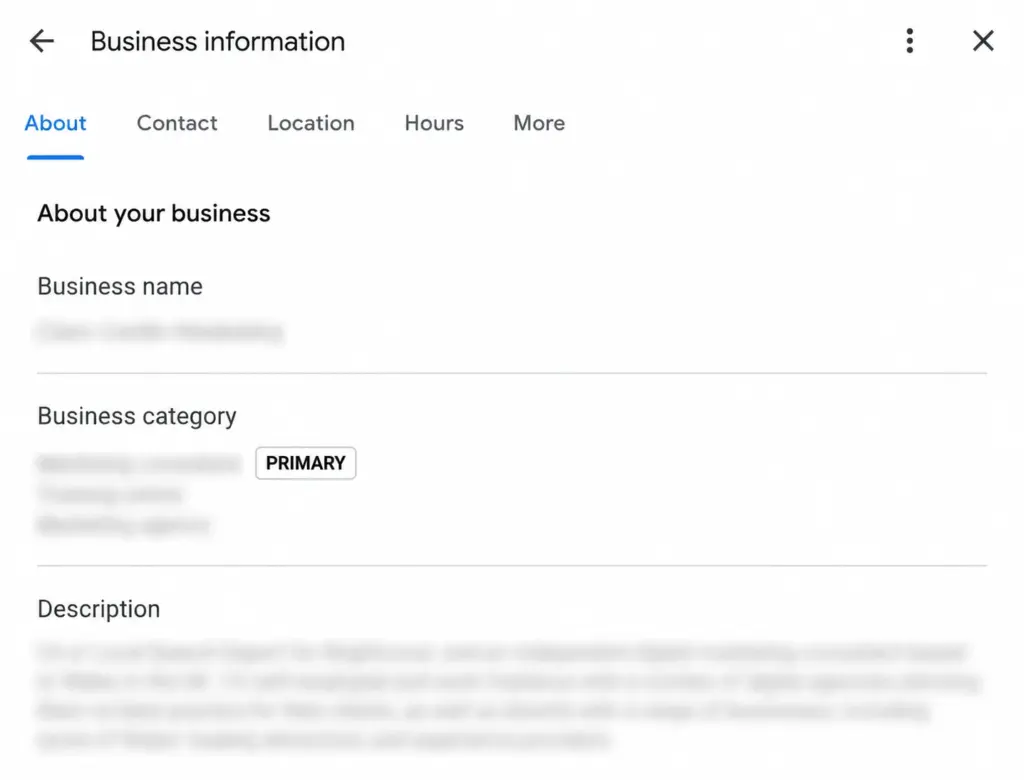
What Does a Google Business Profile Suspension Mean?
A Google Business Profile suspension means Google has restricted, disabled or removed a business listing because it may not follow Google’s Business Profile guidelines.
Google may suspend or disable profiles that do not meet its rules. These rules are designed to keep business information on Search and Maps accurate, trustworthy and useful for customers.
A suspension can affect your profile in several ways:
- Your business may stop appearing on Google Maps.
- Your profile may disappear from local search results.
- Customers may no longer see your reviews, photos or business details.
- You may lose access to edit key profile information.
- Calls, direction requests and website visits from the profile may drop.
- The profile may show as suspended, disabled or restricted in your dashboard.
A suspension does not always mean the business is fake or deliberately breaking rules. It can happen because of inconsistent information, incorrect categories, address problems, failed verification, duplicated listings or automated checks triggered by unusual activity.
Why Has My Google Business Profile Been Suspended?
If you are asking, “Why has my Google Business Profile been suspended?”, the most likely answer is that Google has found a problem with accuracy, eligibility, verification or trust.
Google’s guidelines say businesses should represent themselves as they are consistently recognised in the real world, including signage, stationery and branding. Business addresses and service areas should be accurate, categories should describe the core business, and there should generally only be one profile per business location.
In practice, Google Business Profile suspensions usually happen for one or more of the following reasons:
- The business name does not match the real-world business name.
- The address is inaccurate, unverifiable or not eligible.
- The business is using a virtual office, PO box or unstaffed location incorrectly.
- The profile has too many categories or the wrong category.
- The phone number, website or business details conflict with other sources.
- The business has duplicate Google Business Profiles.
- The profile has been edited too often in a short period.
- Google cannot verify the business.
- The profile is linked to a restricted account.
- Reviews, photos or other profile content appear misleading or manipulated.
- The business type is not eligible for a Google Business Profile.
The rest of this guide explains each of these issues in more detail.
Google Business Profile Suspended for Suspicious Activity
One of the most common and confusing messages is that a Google Business Profile has been suspended for suspicious activity.
This usually means Google’s systems have detected behaviour that looks unusual, risky or inconsistent. It does not always mean someone has hacked the account or that the business has deliberately done anything wrong.
Suspicious activity can include:
- Several major edits made in a short time.
- A sudden change to the business name, address, phone number or category.
- Repeated verification attempts.
- Multiple users accessing or editing the profile from different locations.
- A change in ownership or management access.
- Frequent switching between storefront, hybrid and service-area settings.
- Unusual review activity.
- Profile information that conflicts with the website or other online listings.
For example, a business might update its name, change its category, add a new phone number and alter its service area on the same day. Even if those changes are legitimate, Google may see the pattern as high risk and restrict the profile until it can be reviewed.
To reduce this risk, make important profile updates carefully. Avoid unnecessary edits, keep records of changes and make sure each update matches your real business information.
Common Reasons Google Business Profiles Get Suspended
1. Keyword Stuffing in the Business Name
Your Google Business Profile name should match your real business name. It should not be used as an SEO field.
For example, a business officially called “Greenfield Plumbing Ltd” should not change its profile name to “Greenfield Plumbing Ltd Emergency Plumber London Boiler Repairs 24/7” just to target more keywords.
Keyword-stuffed names are one of the most common reasons for profile issues because they misrepresent how the business is known in the real world.
To stay compliant:
- Use your real business name.
- Match your signage, website and official documents.
- Avoid adding locations unless they are part of the official business name.
- Avoid adding service keywords unless they are part of the actual brand.
- Do not change your name repeatedly to test rankings.
2. Address Problems
Address issues are another major cause of Google Business Profile suspensions, especially for UK businesses.
Google needs to confirm that your business location is real, accurate and eligible. Problems can occur when a business:
- Uses a PO box.
- Uses a virtual office as a business location.
- Lists a coworking space where staff are not present during stated hours.
- Uses an address that customers cannot visit when the profile says they can.
- Shows a home address publicly when the business does not serve customers there.
- Uses an address that does not match the website, signage or documents.
- Creates profiles for locations where the business does not genuinely operate.
If customers can visit your premises during stated hours, your address should be accurate and complete. If you do not serve customers at your address, you should usually hide the address and set a service area instead.
3. Service-Area Business Mistakes
Service-area businesses, such as tradespeople, mobile services and businesses that visit customers, need to be especially careful.
A service-area business can still be eligible for a Google Business Profile, but the setup must reflect how the business actually operates.
Common mistakes include:
- Showing an address where customers do not visit.
- Targeting service areas that are too broad.
- Listing areas the business does not realistically serve.
- Creating separate profiles for towns without genuine staffed locations.
- Using a virtual address to appear local in another area.
Google advises service-area businesses to be specific and accurate with service areas. Service areas should generally be based on cities, postal codes or defined areas rather than unrealistic radius targeting.
4. Duplicate Google Business Profiles
There should usually only be one Google Business Profile per genuine business location. Duplicate listings can confuse Google and customers.
Duplicates may happen when:
- A previous owner created a profile years ago.
- A business moved address and created a new listing.
- An agency or employee created another profile by mistake.
- Different versions of the business name exist online.
- Separate profiles were created for services instead of locations.
If Google detects duplicate profiles, it may suspend or restrict one or more listings. Before creating a new profile, always check whether an existing listing can be claimed, updated or merged.
5. Wrong or Misleading Categories
Your primary category should describe the core business as accurately as possible. Categories help Google understand what your business does, but adding too many or choosing irrelevant categories can create trust issues.
Category problems include:
- Selecting categories for services you do not actually provide.
- Choosing a broader or more competitive category that does not fit the business.
- Adding too many secondary categories.
- Changing categories repeatedly.
- Using different categories across duplicate profiles.
Choose the fewest number of categories needed to describe the business. If your main service changes, update the category carefully and make sure the website supports that change.
6. Inconsistent Business Information
Google compares your profile information with other signals across the web. If your name, address, phone number, website or opening hours are inconsistent, your profile may look less trustworthy.
Inconsistencies often appear across:
- Your website.
- Companies House records.
- Social media profiles.
- Local directories.
- Industry listings.
- Old citations.
- Review platforms.
- Previous business addresses.
This is often called NAP consistency: name, address and phone number. If your Google Business Profile says one thing but your website and directories say another, Google may struggle to confirm which information is correct.
7. Verification Issues
Verification helps Google confirm that a business is legitimate and that the person managing the profile is authorised to do so.
A profile may be suspended or restricted if:
- Verification fails repeatedly.
- The submitted evidence does not match the profile.
- The business address cannot be confirmed.
- The business name on documents does not match the profile.
- Video verification does not clearly show the business premises, tools, signage or access.
- Ownership of the profile appears unclear.
If Google asks for verification or re-verification, take time to prepare before submitting. Rushed or incomplete evidence can delay reinstatement.
8. Account Restrictions
Sometimes the issue is not only with the individual Business Profile. Google may restrict the account that manages the profile if it believes the account has violated policy.
If an account is restricted, profiles managed by that account may be suspended, and the user may be unable to create or claim other profiles. In this case, the account restriction may need to be resolved before the Business Profile itself can be reinstated.
9. Review Manipulation
Reviews are a major trust signal, so Google monitors review behaviour closely.
Risky review practices include:
- Buying reviews.
- Offering incentives in exchange for positive reviews.
- Asking employees to review the business.
- Posting fake reviews.
- Using copied or repetitive review wording.
- Getting a sudden unusual spike in reviews.
- Review gating, where only happy customers are encouraged to leave reviews.
The safest approach is to ask genuine customers for honest feedback and avoid anything that could make reviews appear manipulated.
Suggested read: Why Businesses Need Reviews More Than Ads
10. Misleading Website or Landing Page Information
Your website should support the information on your Google Business Profile. If the profile claims services, locations or opening hours that are not reflected on the website, this can create trust issues.
Make sure your website clearly shows:
- The real business name.
- Contact details.
- Areas served.
- Services provided.
- Opening hours, where relevant.
- Company information.
- Terms, policies or trust signals where appropriate.
A professional, accurate website can strengthen your business legitimacy and support your local SEO performance.
Suggested read: Google Business Profile vs Website: What Matters More for Leads?
11. Ineligible Business Types
Not every business qualifies for a Google Business Profile. To be eligible, a business usually needs to make in-person contact with customers during stated hours.
Examples that may be ineligible or restricted include:
- Lead generation businesses that do not directly serve customers.
- Businesses without real-world customer contact.
- Rental or for-sale properties that are not staffed business locations.
- Temporary locations without permanent signage.
- Online-only businesses with no in-person customer contact.
- Fake, spam or impersonation listings.
If the business model is unclear, Google may request additional evidence or restrict the profile.
Google Business Profile Suspended UK: What UK Businesses Should Know
The core Google Business Profile guidelines apply globally, but UK businesses often run into specific problems because of how they use addresses, service areas and local citations.
Common UK suspension risks include:
- Using serviced offices as local addresses.
- Using home addresses incorrectly.
- Listing multiple town profiles without genuine locations.
- Inconsistent Companies House and website details.
- Old directory listings with previous addresses.
- Local landing pages that imply physical branches where none exist.
- Over-optimised profile names with town and service keywords.
For UK businesses, accuracy and consistency are essential. If your Google profile, website, Companies House information and major citations all support the same business identity, your profile is less likely to look suspicious.
How to Tell if Your Google Business Profile Has Been Suspended
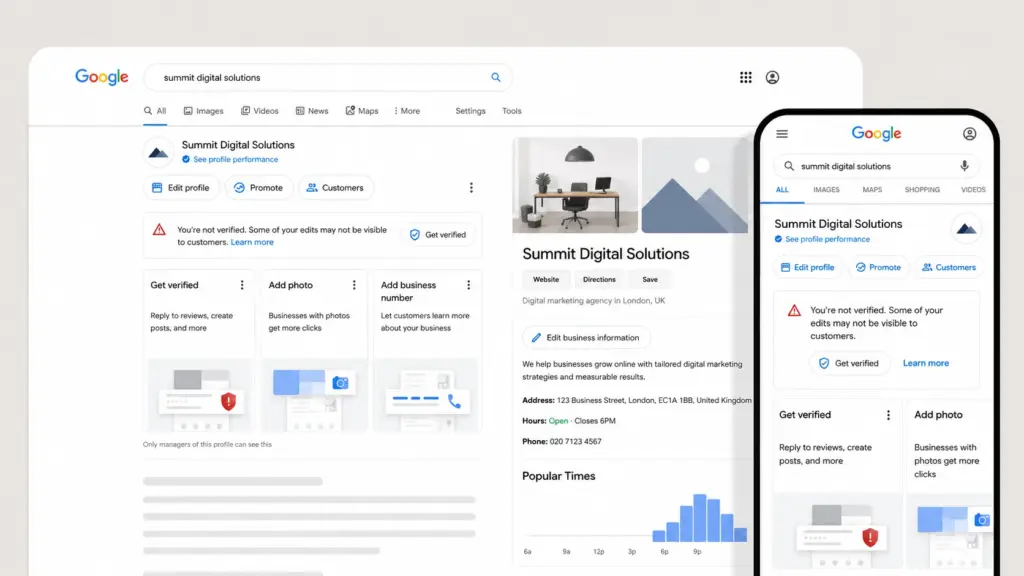
A suspension is not always obvious immediately. Some businesses first notice a drop in enquiries before they see a warning in the dashboard.
Signs of a suspended Google Business Profile include:
- Your profile no longer appears on Google Maps.
- Your business does not appear for branded searches.
- Your local rankings drop suddenly.
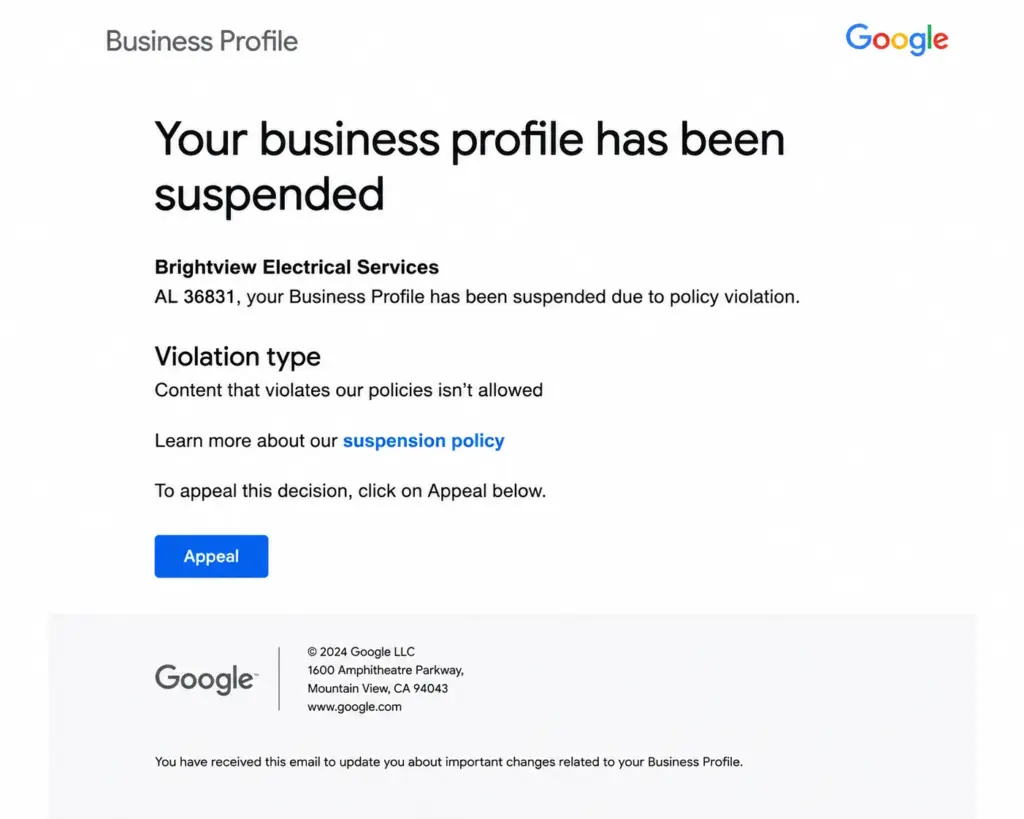
- You receive a suspension or disabled profile notice.
- Profile edits are restricted.
- Reviews or photos are no longer visible.
- Customers say they cannot find your business.
- Calls, direction requests or website clicks fall unexpectedly.
If this happens, avoid making random edits. First, review the profile carefully and compare it against Google’s guidelines.
What to Do if Your Google Business Profile Is Suspended
If your Google Business Profile is suspended, the most important thing is to respond methodically. Do not delete the profile and do not create a new one for the same business while the appeal is under review.
Creating a new listing can make the situation more complicated and may put reviews, ranking history and future reinstatement at risk.
Step 1: Read the Suspension Notice
Start by checking the message in your Google Business Profile dashboard or email. The appeals tool may show:
- The restricted profile.
- The reason for the moderation action.
- A link to the violated policy.
- Whether the profile is eligible for appeal.
This information can help you understand whether the issue relates to the profile, content, verification or account access.
Step 2: Review Google’s Guidelines
Before submitting an appeal, review the Business Profile guidelines carefully. Pay close attention to:
- Business eligibility.
- Business name rules.
- Address rules.
- Service-area rules.
- Category selection.
- Duplicate profiles.
- Content and review policies.
Your appeal is more likely to succeed if the profile is corrected before you submit it.
Step 3: Audit Your Profile Information
Check every major field in the profile:
- Business name.
- Address.
- Service area.
- Phone number.
- Website URL.
- Primary and secondary categories.
- Opening hours.
- Business description.
- Photos.
- Products and services.
- Managers and owners.
Make sure each field is accurate, consistent and supported by real-world evidence.
Step 4: Check Your Website and Online Citations
Compare your Google Business Profile against your website and important online listings.
Check whether the same name, address and phone number appear on:
- Your website contact page.
- Website footer.
- Companies House, where relevant.
- Social media pages.
- Major directories.
- Industry platforms.
- Review platforms.
If old or conflicting information exists, correct the most important sources before appealing.
Step 5: Remove or Resolve Duplicates
Search Google Maps for your business name, old addresses, phone numbers and brand variations. If duplicate profiles exist, do not create another listing. Instead, identify which profile is correct and take steps to claim, update, merge or remove duplicate information where appropriate.
Step 6: Prepare Evidence
Google may allow or request supporting evidence as part of the appeal process. Evidence can help prove that the business is real and that the profile information is accurate.
Useful evidence may include:
- Official business registration.
- Business licence, if applicable.
- Tax documents or certificates.
- Utility bills for the business.
- Photos of permanent signage.
- Photos of the premises.
- Photos of branded vehicles, tools or equipment.
- Website pages showing matching business details.
- Lease documents or proof of occupancy, where appropriate.
Any documents should match the business name and address used on the profile.
Step 7: Submit the Appeal
Use the Google Business Profile appeals tool while signed in to the Google account connected to the profile.
In general, the process is:
- Open the Google Business Profile appeals tool.
- Confirm the correct Google account.
- Select the suspended Business Profile.
- Review the reason and linked policy.
- Submit the appeal.
- Add evidence if prompted.
- Wait for Google’s decision by email.
Google notes that if you choose to add evidence, you may need to submit it within a limited time after opening the evidence form, so prepare documents before you begin.
Step 8: Track the Appeal Status
After submitting, check the appeal status in the appeals tool. Statuses may include:
- Submitted.
- Approved.
- Not approved.
- Can’t be appealed.
- Eligible for appeal.
Avoid making unnecessary changes while the appeal is under review.
Step 9: Request Additional Review if Needed
If the appeal is denied, you may be able to request an additional review and provide extra evidence that was not included in the original appeal.
Before doing this, reassess the profile again. If the underlying issue still has not been fixed, another review may also be unsuccessful.
Google Business Profile Appeal Checklist
Use this checklist before submitting a reinstatement appeal.
- [ ] The business is eligible for a Google Business Profile.
- [ ] The business name matches real-world branding and official documents.
- [ ] No unnecessary keywords have been added to the business name.
- [ ] The address is accurate, complete and eligible.
- [ ] The address is hidden if customers do not visit the location.
- [ ] The service area is specific and realistic.
- [ ] The primary category accurately describes the core business.
- [ ] Secondary categories are relevant and limited.
- [ ] Phone number and website URL are correct.
- [ ] Opening hours are accurate.
- [ ] The website supports the same business name, address and phone number.
- [ ] Important citations and social profiles are consistent.
- [ ] Duplicate profiles have been identified and addressed.
- [ ] Profile managers and owners are appropriate.
- [ ] Photos, services and descriptions are not misleading.
- [ ] Review practices follow Google’s policies.
- [ ] Supporting documents are ready.
- [ ] Evidence matches the profile’s business name and address.
- [ ] No new duplicate profile has been created.
How Can I Avoid a Google Business Profile Suspension?
The best way to avoid a Google Business Profile suspension is to keep the profile accurate, consistent and conservative.
Use these best practices:
Keep Your Business Name Clean
Use your real business name. Do not add keywords, locations or services unless they are genuinely part of the official name.
Keep Your Details Consistent
Your profile, website, directories and social channels should all support the same business information.
Use the Right Address Setup
If customers visit your location, show the correct address. If you visit customers and do not serve them at your address, use a service-area setup.
Avoid Excessive Edits
Plan changes before making them. Avoid repeated edits to major fields such as name, address, phone number and category.
Choose Categories Carefully
Select the most accurate primary category and only add relevant secondary categories.
Monitor Duplicates
Search periodically for duplicate profiles, old addresses or incorrect business listings.
Keep Evidence Ready
Maintain records that prove your business is legitimate, especially if you operate from a service area or home-based setup.
Manage Reviews Properly
Ask genuine customers for honest reviews. Do not buy, incentivise or manipulate reviews.
Maintain a Strong Website
Your website should clearly show who you are, what you do, where you operate and how customers can contact you.
Suggested read: Digital Marketing on a Budget: A Guide for UK Start-Ups
For businesses that want support with profile setup, ongoing local SEO and suspension prevention, our Google Business Profile Management service can help keep your profile accurate, optimised and aligned with Google’s guidelines.
Recovery Process: How to Reinstate a Suspended Google Business Profile
Here is a simple recovery process to follow if your profile has already been suspended.
1. Pause Before Making Changes
Do not panic. Do not delete the profile. Do not create another profile for the same business.
2. Identify the Likely Cause
Review the suspension message, profile history and recent changes. Look for name edits, address changes, category changes, verification issues, duplicate profiles or account restrictions.
3. Compare the Profile Against Guidelines
Check the business name, address, service area, category, website, phone number, content and eligibility.
4. Correct Any Issues
Make only necessary corrections. Avoid excessive edits and make sure every change is accurate.
5. Gather Evidence
Prepare documents and photos that prove the business is legitimate and matches the profile.
6. Submit the Appeal
Use the official Google Business Profile appeals tool and provide evidence where requested.
7. Wait for the Decision
Monitor the appeal status. Avoid creating new profiles or making unnecessary changes while waiting.
8. If Denied, Strengthen the Evidence
If the appeal is not approved, review the reason, gather stronger evidence and request additional review if available.
Google Business Profile Suspension FAQs
Why was my Google Business Profile suspended for suspicious activity?
Your Google Business Profile may be suspended for suspicious activity if Google detects unusual behaviour such as repeated edits, sudden changes to key details, inconsistent login activity, repeated verification attempts, duplicate profiles or information that conflicts with your website and other listings.
What does a Google Business suspension mean?
A Google Business suspension means Google has restricted, disabled or removed a Business Profile because it may not follow the platform’s guidelines. The profile may stop appearing on Search or Maps, or you may lose access to manage certain features until the issue is resolved.
How can I avoid a Google Business Profile suspension?
You can reduce the risk by using your real business name, keeping your address and service area accurate, choosing the right categories, avoiding duplicate profiles, keeping information consistent across the web, following review policies and making profile changes carefully.
How do I know if my Google Business Profile has been suspended?
You may receive a suspension notice in your dashboard or email. Other signs include your business disappearing from Google Maps, losing visibility for branded searches, restricted editing access, missing reviews or a sudden drop in calls and website visits from the profile.
Can a suspended Google Business Profile be reinstated?
Yes, many suspended Google Business Profiles can be reinstated if the underlying issue is corrected and the business can provide suitable evidence. You usually need to submit an appeal through Google’s appeals tool.
Should I create a new Google Business Profile after suspension?
Usually, no. Creating a new profile for the same business while an appeal is under review can make the issue worse. It may also risk losing reviews, visibility history and trust signals. It is usually better to fix the existing profile and submit an appeal.
How long does a Google Business Profile appeal take?
Timescales vary. Some appeals are reviewed quickly, while others take longer depending on the complexity of the case, the evidence provided and whether additional review is needed.
What evidence helps with a Google Business Profile appeal?
Helpful evidence can include business registration, licences, tax certificates, utility bills, photos of signage, photos of premises, branded vehicles, tools or equipment and website pages showing matching business details. The business name and address should match the profile.
Why is my Google Business Profile suspended for no reason?
It may feel like there is no reason, but there is usually an underlying trigger. Common causes include inconsistent business information, address issues, category problems, duplicate profiles, verification problems, suspicious activity or guideline violations that are not immediately obvious.
Can changing my business name cause a suspension?
Yes. Changing the business name, especially if keywords or locations are added, can trigger verification or suspension issues. Your profile name should match your real-world business name.
Can service-area businesses have Google Business Profiles?
Yes, service-area businesses can have Google Business Profiles if they are eligible and make in-person contact with customers. However, they must set up their address and service areas correctly. If customers do not visit the business address, the address should usually be hidden.
Can a virtual office cause a Google Business Profile suspension?
Yes. Virtual offices, PO boxes and unstaffed locations can cause problems if they are used as a business address. Google expects business locations to be genuine and accurately represented.
Keep Your Google Business Profile Compliant and Visible
A Google Business Profile suspension can be stressful, but most issues are preventable with careful setup and ongoing management.
The key is to make sure your profile reflects the real business clearly and consistently. Use your correct name, address, service area, category, website and phone number. Avoid shortcuts such as keyword stuffing, duplicate listings or unrealistic location targeting.
If your profile has already been suspended, take a structured approach. Review the guidelines, correct the issue, prepare evidence and submit a clear appeal. Do not create a duplicate profile while waiting for a decision.
If you are worried about a suspension, need help preparing an appeal or want to reduce the risk of future profile issues, Netmediasolutions Ltd can help.
Our team supports businesses with Google Business Profile optimisation, local SEO management and wider digital marketing support to keep your online presence accurate, visible and compliant.
Call 01462 530701 or email [email protected] to speak to our team about your Google Business Profile.